· 2 min read · originally on LinkedIn ↗
How I removed hundreds of unused CSS lines quickly in React
After many design iterations my stylesheet was full of dead rules. A free tool, UnCSS, stripped them in three steps without breaking the new design.
After many design iterations on a web page, the CSS kept piling up. It got confusing to tell which styles were still in use and which weren't, and the stylesheet kept growing in size. I wanted to remove the unused CSS without messing up the new design.
After some googling I came across a handy online tool called UnCSS that does the job quickly and efficiently.
The process is simple, and it works for any page, not just a React app. Here's how it goes on an example app.
1. Edit the root element as HTML
Open the browser's dev tools, inspect the page and find the element with the id root.
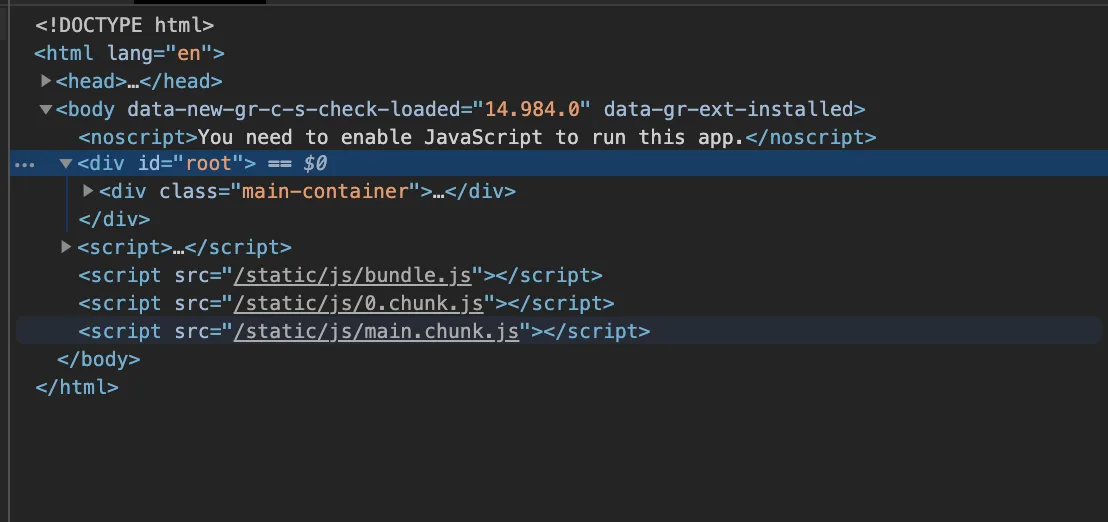
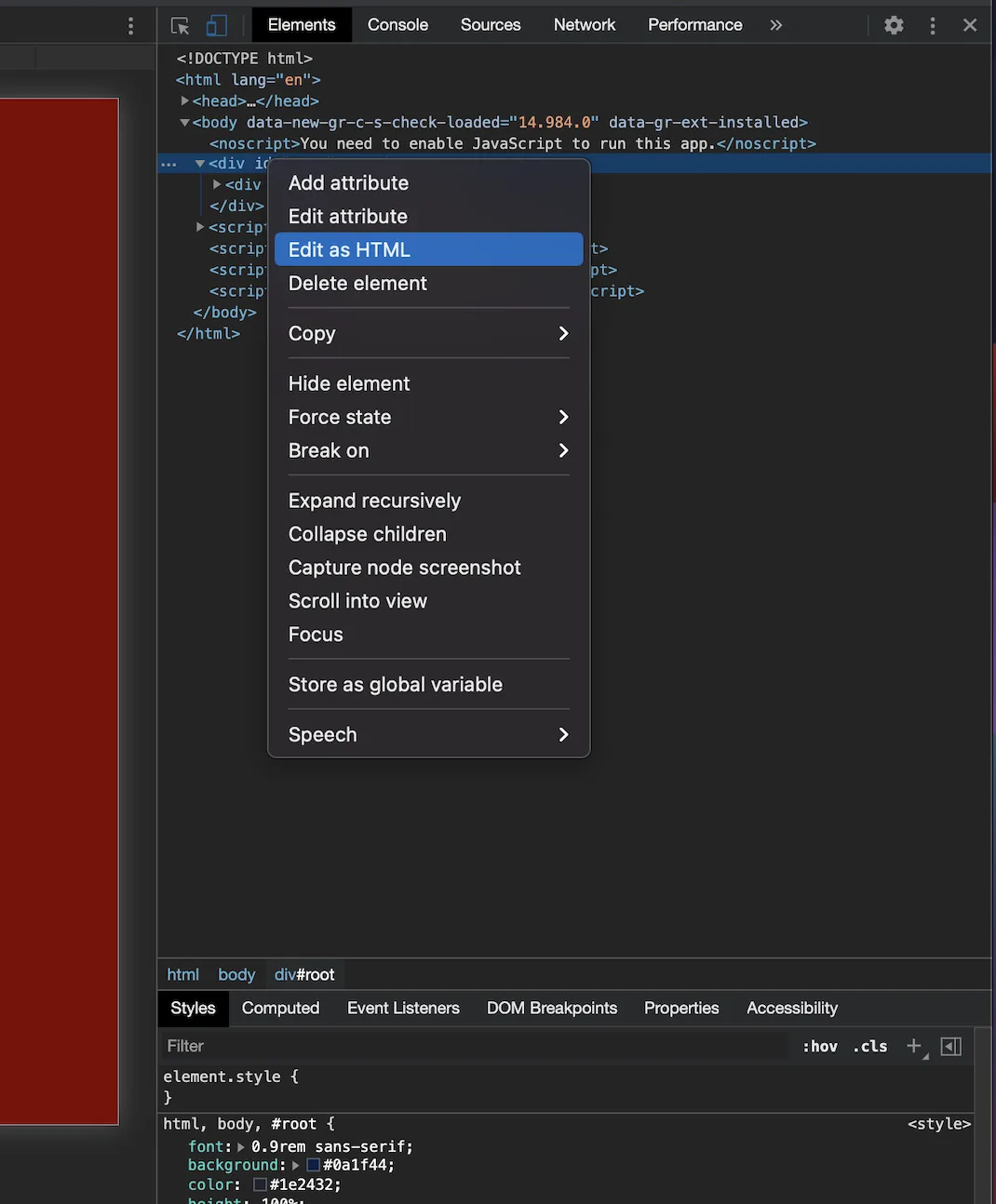
Right-click it and select Edit as HTML.
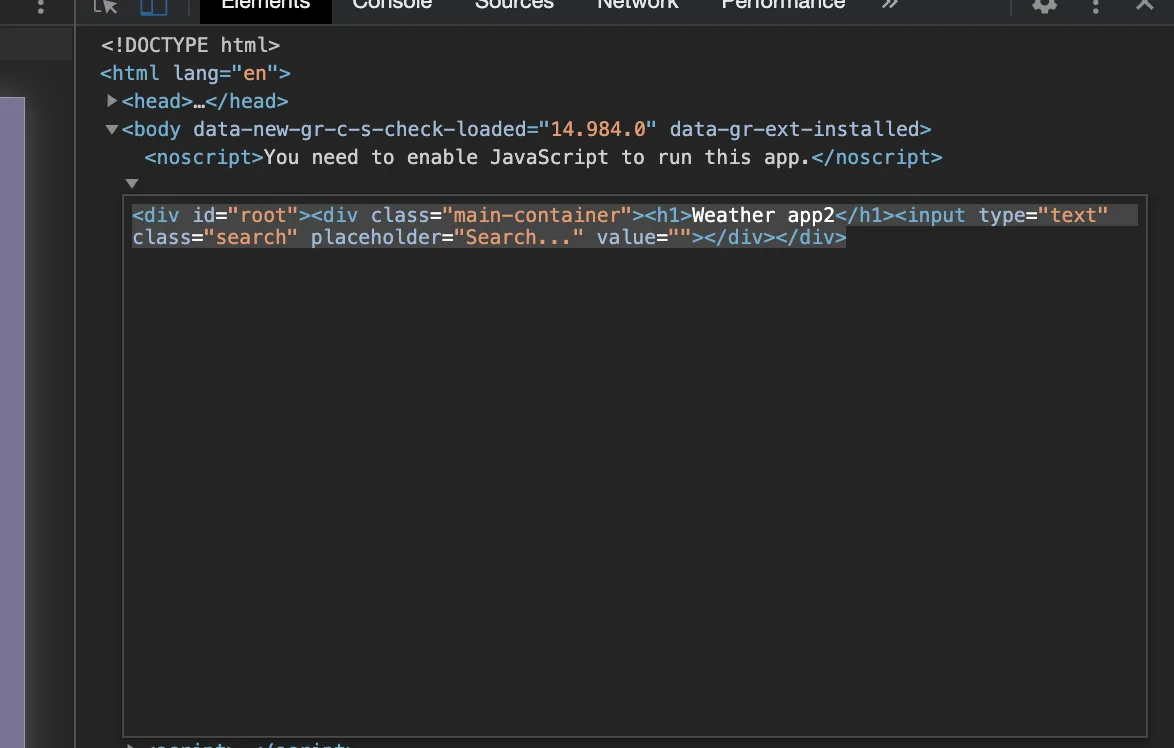
2. Copy the contents
Select everything in the editor and copy it. That's the rendered markup of your page.
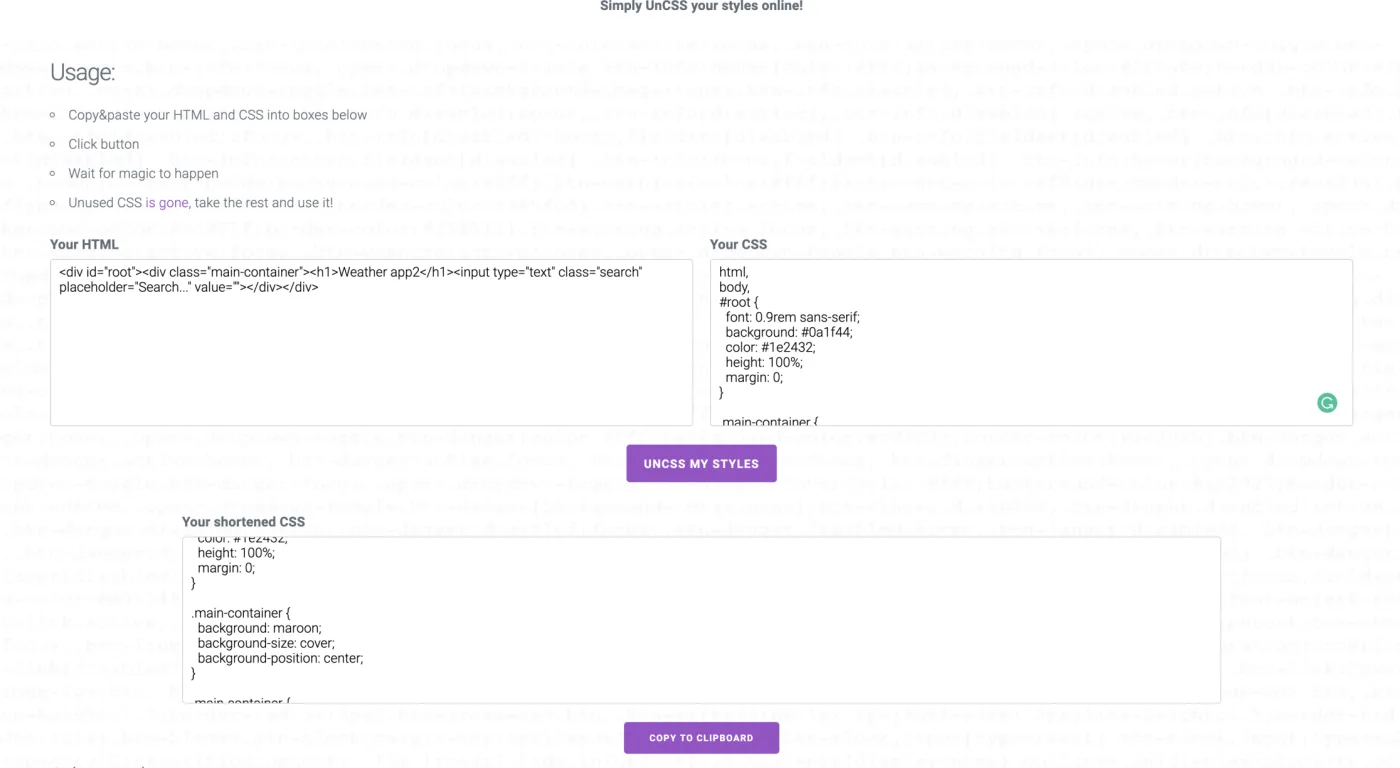
3. Let UnCSS remove what isn't used
Open UnCSS. Paste the copied HTML into the HTML section, then copy the CSS from your stylesheet into the CSS section, and click UNCSS MY STYLES. It generates only the CSS the page needs, with every unused rule removed.
Written by Mohammed Mudassir, senior software engineer in Bengaluru. Turning ideas into scalable products.