· 2 min read · originally on Medium ↗
Upgrading React Native to the latest version on a Mac M1 (Monterey)
Taking an old project from React Native 0.64 to 0.66.3 on Apple silicon — every build failure I hit along the way, and the fix for each.
Here's how I upgraded an old React Native project from 0.64.0 → 0.66.3 on a Mac M1 (Monterey), and how I resolved the issues that came up along the way.
I started with the official upgrade method from the docs — and it failed 😭.

So I applied the differences manually, following the upgrade helper.
Android
In android/build.gradle, don't remove jcenter() — some third-party packages still depend on it.
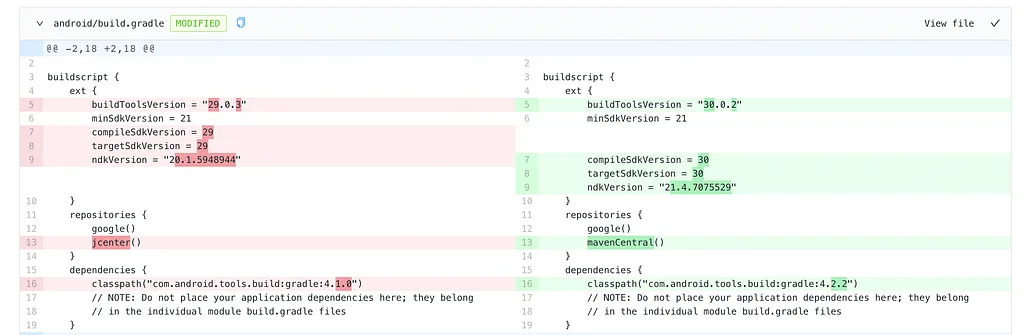
After making the changes I ran the Android build — and it failed again, this time because of the Java JDK version (jdk-17) installed on my Mac.

To fix that I installed a lower version, jdk-15.0.2, and built again. It failed once more: Android Studio was missing Android SDK Platform 30 and Android Build Tools 30.0.2. To install them, open Android Studio → SDK Manager → select the packages → Apply.
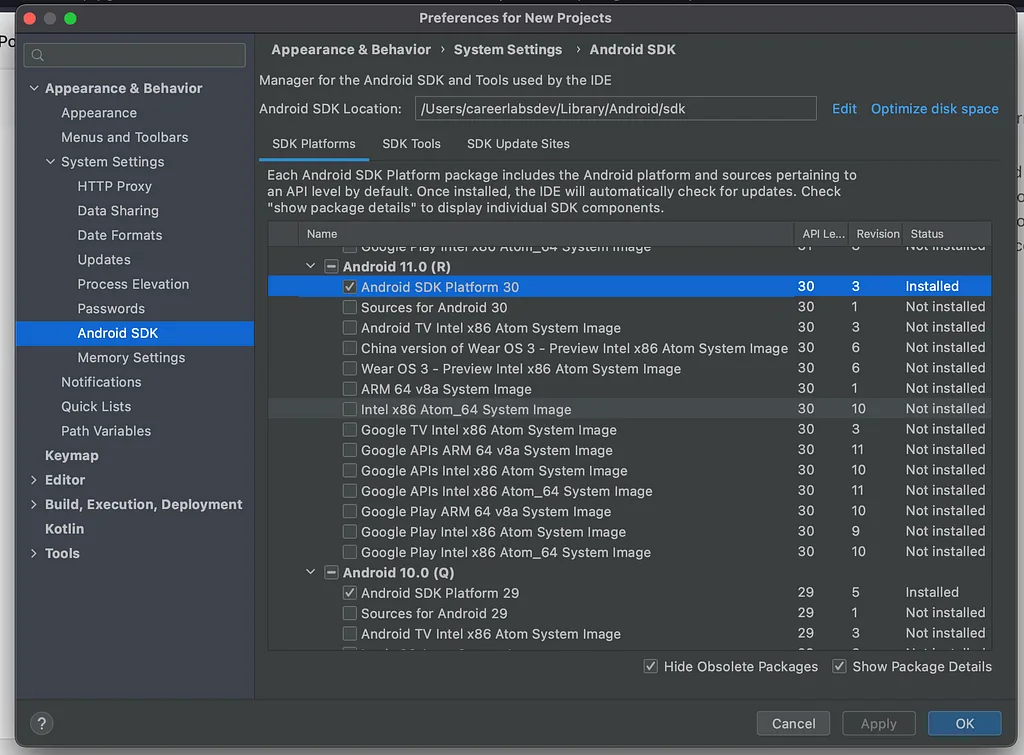
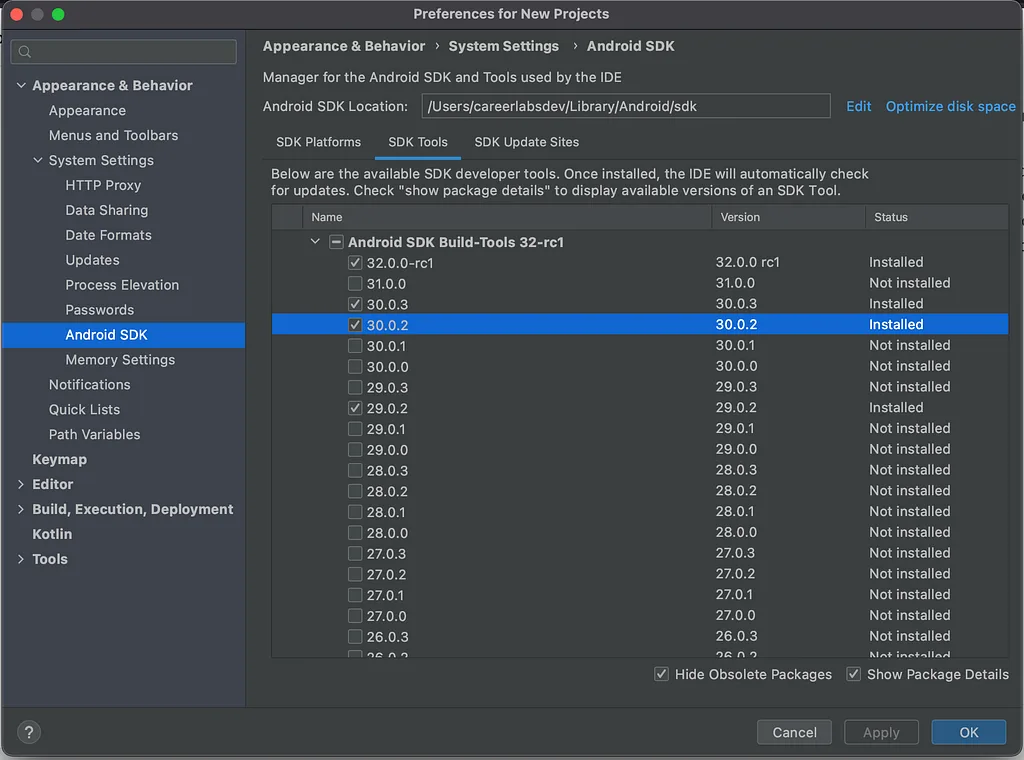
With those installed, the rebuild succeeded 🎉
But GIFs stopped working on React Native 0.66+. To fix that, add these lines to android/app/build.gradle:
// If your app supports Android versions before Ice Cream Sandwich (API level 14)
implementation 'com.facebook.fresco:animated-base-support:1.3.0'

// For animated GIF support
implementation 'com.facebook.fresco:animated-gif:2.5.0'

// For WebP support, including animated WebP
implementation 'com.facebook.fresco:animated-webp:2.1.0'
implementation 'com.facebook.fresco:webpsupport:2.5.0'

// For WebP support, without animations
implementation 'com.facebook.fresco:webpsupport:2.0.0'
iOS
On iOS there were many differences to apply, but most are handled automatically by pod install. The major changes are in the Podfile and project.pbxproj:
use_flipper!()
post_install do |installer|
  react_native_post_install(installer)
  __apply_Xcode_12_5_M1_post_install_workaround(installer)
end
Open project.pbxproj, look for IPHONEOS_DEPLOYMENT_TARGET and set:
IPHONEOS_DEPLOYMENT_TARGET = 11.0Before building, make sure CocoaPods and Rosetta are installed and Xcode is set up.
Rosetta
softwareupdate --install-rosettaHomebrew
/bin/bash -c "$(curl -fsSL https://raw.githubusercontent.com/Homebrew/install/master/install.sh)"CocoaPods
brew install cocoapods
sudo gem install ffi
Xcode
Follow Xcode 12 compilation errors while running with iOS 14 simulators, then open Xcode through Rosetta: right-click Xcode in Applications → Get Info → enable Open using Rosetta.
With all of that in place, the iOS build succeeded too 🥳
Helpful references
Written by Mohammed Mudassir, senior software engineer in Bengaluru. Turning ideas into scalable products.